
Reports, drill-downs and Excel working papers
Trace supported report amounts to transactions, compare periods or branches and export statements with live Excel formulas.
On this page
PXL Books connects supported report amounts to ledger detail and source records. Start with a balance, open Transaction Detail, and inspect the original entry and System Notes. Supported Excel exports preserve useful formulas; downloading a workbook does not freeze or approve the underlying books.
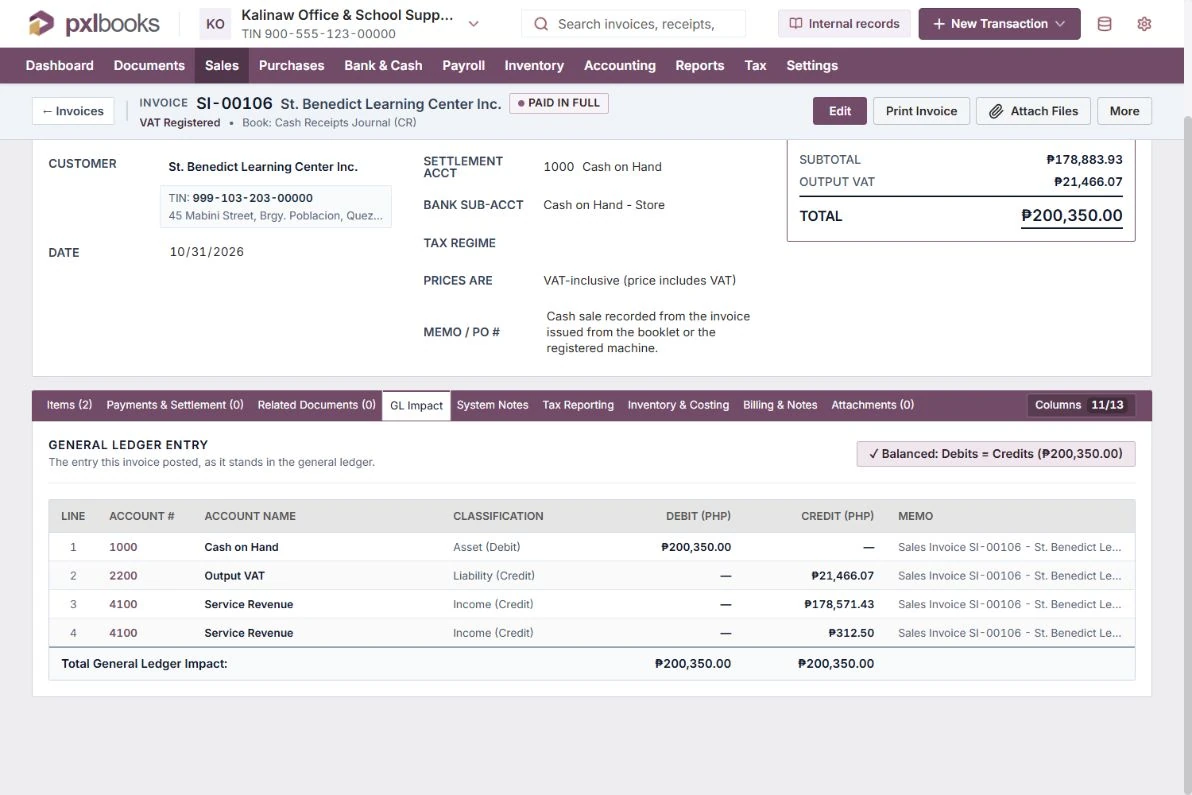
Product screenshot: demo sample records only.
Follow an amount to its source
- Open Reports → Financial Statements, Reports → Ledgers → Trial Balance, or another supported report.
- Set dates and available filters before comparing totals.
- Select a supported amount to inspect accounts, dates, branches and source references.
- Open the original transaction and inspect GL Impact and System Notes where available.
- Correct an error through the appropriate posting or correction workflow and refresh the report.
Investigate a change
October expenses are ₱75,000 compared with ₱50,000 in September. Investigate the ₱25,000 increase by account. A new expense, an accrual and a misclassified asset require different responses; do not recode all three merely to make periods look alike.
Choose a useful report
- Reports → Ledgers → Transaction Detail for ledger investigations.
- Reports → P&L / Balance Sheet by Month or Branch for supported period or segment comparisons.
- Reports → Sales & Purchases for customer, supplier and item views.
- Reports → Custom Reports (Saved Queries) for reusable fields, filters, groupings and supported pivots.
Keep the checking trail
Supported statement XLSX exports contain live formulas such as SUBTOTAL, % of revenue and comparative % change. Annual Word packages let accountants finish narratives and disclosures. Retain the period, export date and matching working papers with the final version.
Questions
Is every printed amount clickable?
Drill-down is supported on in-app amounts; printouts and all export formats do not necessarily retain interactions.
Does editing Excel update the books?
No. Correct the app records and export again when the books need to change.
Why did an export change since yesterday?
Compare report settings and later postings or corrections; inspect System Notes where available.
Does a balanced trial balance prove correctness?
It proves equal debits and credits, rather than completeness or correct classification and tax treatment.
Continue
Financial statements · Report features · Try the statements demo
Last checked against product source: November 20, 2026. Examples are illustrative; review your own records before posting or filing.