
Payroll and employee portal
Prepare reviewed payroll runs and give employees access to their own records.
On this page
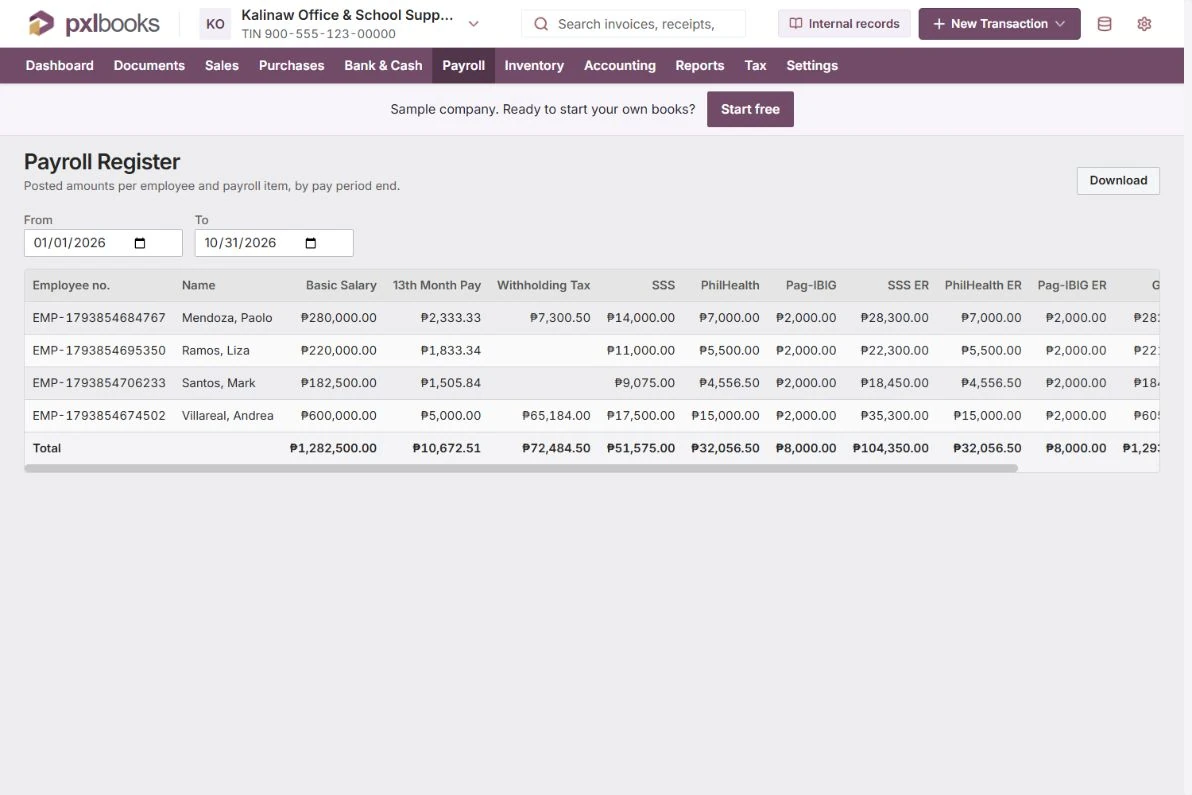
Screenshot: demo sample records only.
This guide covers 5 features. All three planned plans include these features where applicable. Turn on the modules you need in Settings; access depends on your role and the business’s setup. See all 89 features and Pricing & Complete Features.
Payroll runs, payslips, and payroll register
In plain English: Prepare monthly, semi-monthly, weekly, or daily payroll with the configured pay items.
Where to find it: Employees and Payroll Register.
How to use it: Maintain employee pay details, create the run and pay period, then review earnings, deductions, contributions, and net pay before posting and preparing payslips.
SSS, MPF, EC, PhilHealth, and Pag-IBIG lists
In plain English: Prepare employee and employer contribution schedules from payroll.
Where to find it: Contribution Lists and Payroll Settings.
How to use it: Review the configured contribution tables and employee details first. Choose the period and compare the contribution lists with payroll and the amounts to be remitted.
Compensation withholding and year-end annualization
In plain English: Compare annualized tax with payroll withholding and prepare 2316 figures and 1604-C data.
Where to find it: Payroll Year-End and BIR Reports.
How to use it: Review employee and previous-employer details, posted runs, adjustments, and the year’s withholding. Use the 2316 worksheet and supported alphalist export to complete the reporting process.
Final pay, employee loans, and salary history
In plain English: Keep pay changes, recoverable loans, and separation computations with the employee record.
Where to find it: Employees → employee record and Payroll Year-End.
How to use it: Maintain effective-dated pay and loan details. On separation, review the final-pay computation and deductions against the employee’s history and the supporting records before payment.
Employee portal: time, leave, and payslips
In plain English: Give an invited employee access to their own time records, leave requests, and payslips.
Where to find it: Employee Portal and Time & Leave.
How to use it: Invite the employee using the account linked to their employee record. They can punch time and request leave; authorized reviewers check time and leave before payroll uses the approved records.
Review before you rely on the result
Check the source documents, settings, reporting period, and any required approval. Tax returns and financial statements need review by you or your accountant. PXL Books prepares records and supporting files; it does not file or pay taxes.
Related
Last checked: November 20, 2026.