
Bank and cash
Follow cash movements and reconcile each account to its bank statement.
On this page
- Bank, cash, and petty cash accounts
- Cash book of receipts and payments
- Bank reconciliation with CSV and Excel import
- Statement running-balance verification
- Rules for recurring bank statement lines
- Reconciliation PDF and Excel exports
- Inter-account transfers and deposits
- Review before you rely on the result
- Related
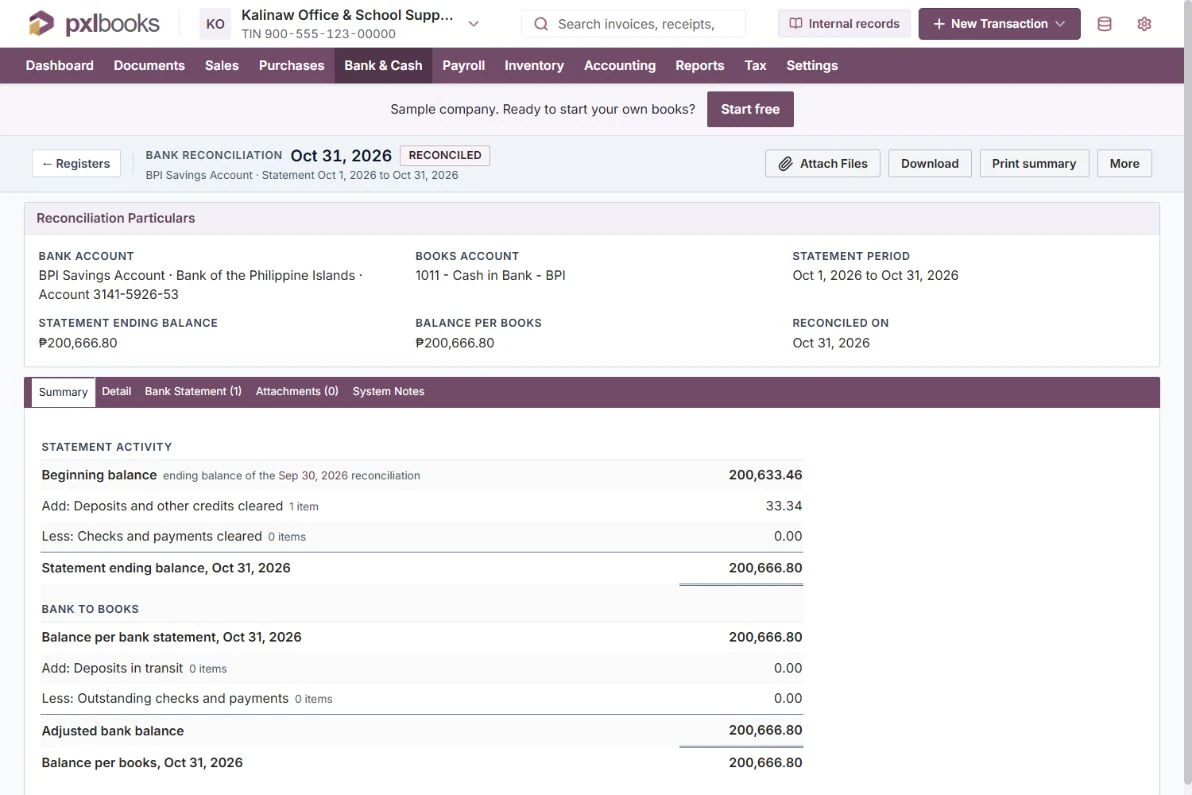
Screenshot: demo sample records only.
This guide covers 7 features. All three planned plans include these features where applicable. Turn on the modules you need in Settings; access depends on your role and the business’s setup. See all 89 features and Pricing & Complete Features.
Bank, cash, and petty cash accounts
In plain English: Keep separate balances for each bank account, cash fund, and petty cash account.
Where to find it: Bank & Cash Accounts.
How to use it: Set up each account and its ledger mapping, then use that account on receipts and payments. Review balances by account rather than combining separate funds.
Cash book of receipts and payments
In plain English: Read cash movements together, with the source transactions behind them.
Where to find it: Bank & Cash → Cash Book.
How to use it: Set the account and date range, inspect receipts and payments, and open the source voucher to understand a line. Use reconciliation to compare the bank account with its statement.
Bank reconciliation with CSV and Excel import
In plain English: Compare the payments in your records with your bank statement and investigate differences.
Accounting detail: Import statement rows, map their columns, and match them to the books.
Where to find it: Bank Reconciliation.
How to use it: Choose the bank and statement period, import the file, and check dates, amounts, and signs. Review suggested matches, record genuine differences, and reconcile to the statement ending balance.
Statement running-balance verification
In plain English: Highlight gaps when imported statement lines do not explain the ending balance.
Where to find it: Bank Reconciliation.
How to use it: Supply the statement balances and import running balances where available. Read the first reported break and check for missing, duplicated, or incorrectly signed lines before reconciling.
Rules for recurring bank statement lines
In plain English: Suggest accounts and entries for statement descriptions that repeat.
Where to find it: Bank Rules and Bank Reconciliation.
How to use it: Define the matching text and intended accounting treatment. Preview the matching lines and review the suggested entries before posting them.
Reconciliation PDF and Excel exports
In plain English: Keep a summary and supporting detail of a saved bank reconciliation.
Where to find it: Bank Reconciliation.
How to use it: Open the reconciliation and review cleared items, outstanding checks, deposits in transit, and adjustments. Use the export options to keep the summary and detail with the period’s working papers.
Inter-account transfers and deposits
In plain English: Move money between the business’s bank and cash accounts.
Where to find it: Bank & Cash → Transfer (a General Journal entry); Bank & Cash → Deposit.
How to use it: Debit the account the money goes to and credit the one it leaves, choosing the bank on each line, and post the entry once. Review both account movements and match the relevant bank statement lines.
Review before you rely on the result
Check the source documents, settings, reporting period, and any required approval. Tax returns and financial statements need review by you or your accountant. PXL Books prepares records and supporting files; it does not file or pay taxes.
Related
Last checked: November 20, 2026.