
Philippine payroll, contributions and year-end tax
Prepare reviewed payroll, SSS, MPF, EC, PhilHealth, Pag-IBIG, compensation tax and year-end 2316 schedules from employee records.
On this page
PXL Books prepares payroll runs, payslips, a payroll register and contribution lists using employee records and contribution tables configured for the period. It supports SSS, MPF, EC, PhilHealth and Pag-IBIG schedules, compensation withholding and year-end preparation. Employers still review eligibility, remit contributions and file returns.
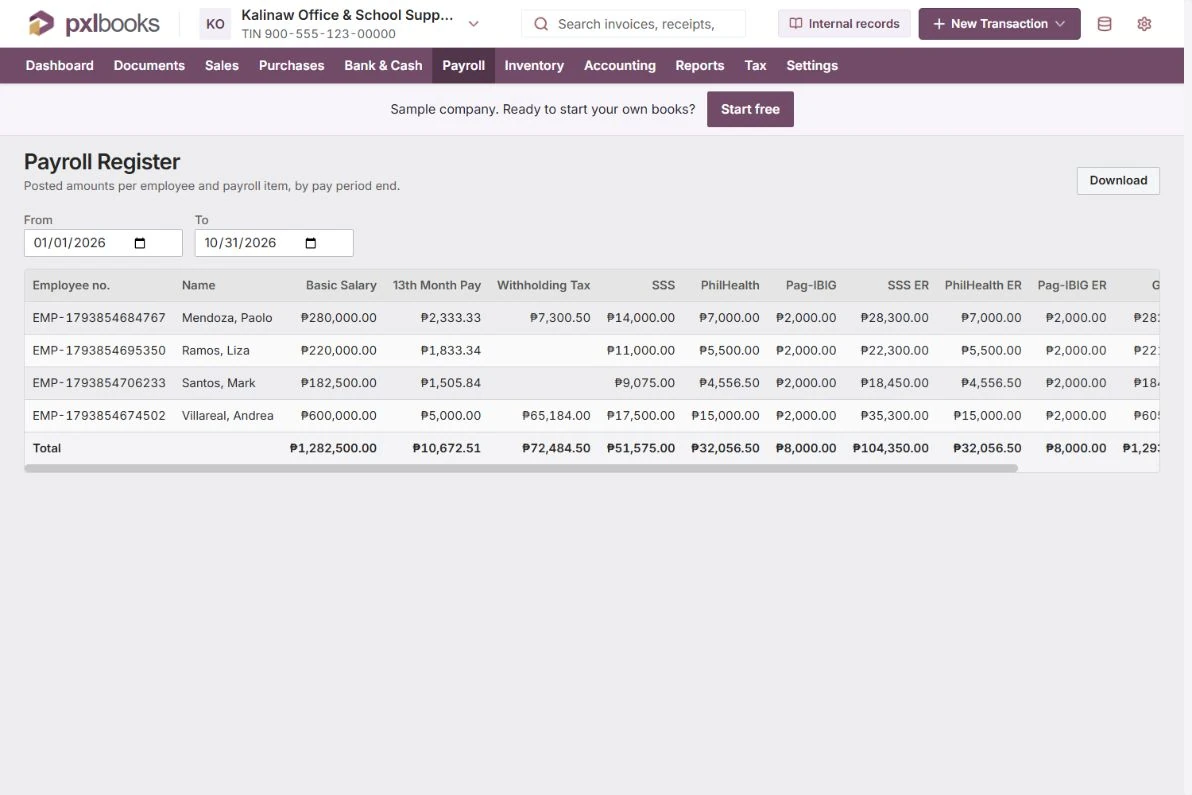
Product screenshot: demo sample records only.
Set up before the first run
Maintain identity, employment dates, pay basis, effective-dated salary, pay items and contribution identifiers. If the business kept its payroll elsewhere earlier in the year, enter each employee's pay from that payroll register, by kind, under Paid by this business before PXL Books this year on the employee. The year-end, the 2316 and the 1604-C count it as this employer's pay, and it posts nothing to the books. Confirm tables and effective dates against current agency issuances. Previous-employer compensation and withholding can affect annualization.
Run and review payroll
- Open Payroll → Payroll Runs and choose the period, the supported frequency (monthly, semi-monthly, weekly or daily) and what the run pays: regular pay, or extra pay only for a 13th month or bonus run.
- Review approved time and leave, earnings, deductions, loans, contributions and withholding.
- Inspect exceptions and net pay before posting. A draft has not posted payroll to the ledger.
- Prepare payslips and compare Payroll → Payroll Register with Payroll → Contribution Lists.
- Review Tax → Withholding Tax → Compensation → Monthly Return (1601-C) and reconcile remittances with payable accounts.
Net-pay example
For ₱25,000 earnings, ₱2,000 employee contributions, ₱500 withholding and ₱1,000 loan deduction, net pay is ₱21,500. These are illustration amounts, not statutory contribution rates. Employer contributions are a separate cost.
Year-end and final pay
Open Tax → Withholding Tax → Compensation → Payroll Year-End (2316). Check posted runs, previous-employer information and annualized tax before preparing certificates and supported 1604-C data. Final pay is worked out on the page of the year the employee left, which lists them even before any pay that year. Review final-pay and loan deductions against the employee's history and supporting records.
Questions
Are contribution rates guaranteed to update automatically?
No. Verify configured tables and effective dates before processing the period.
Does payroll remit contributions or file 1601-C?
No. The employer submits, pays and retains confirmations.
Can employees see the business books?
Employee portal accounts provide the linked employee's own self-service records, rather than general bookkeeping access.
How do I check a year-end difference?
Compare annualization with posted runs, adjustments, previous-employer figures and actual remittances.
Continue
Payroll features · Employee portal · Year-end checklist · Try the demo
Last checked against product source: November 22, 2026. Examples are illustrative; review your own records before posting or filing.