
BIR Form 2550Q: output VAT, input VAT, and Line 53
Work through a quarterly VAT example, separate VAT-inclusive amounts, allocate common input tax, and prepare the supporting sales and purchase schedules.
Educational guide. Examples state their assumptions; use the linked official sources to check the rules for your situation and filing period.
On this page
Form 2550Q reports quarterly VAT, including output tax, allowable input tax, and applicable credits. A sale amount, an output-VAT amount, and a cash collection are different figures. Start by classifying the underlying transactions, not by multiplying the bank deposits by a VAT rate.
The BIR April 2024 instructions state the ordinary 25-day filing period after the taxable quarter and the 12% rate on covered domestic sales. VAT registrants generally continue filing until registration is cancelled, including quarters without taxable sales. Check the applicable eFPS schedule and any extension for the actual period.
Worked example: one simple quarter
Assume all sales are ordinary 12% VATable domestic sales, all purchases below are business-related and supported by valid VAT invoices, and the entire input tax is creditable. There are no carryovers, adjustments, VAT-withholding credits, or penalties.
| Item | VAT-exclusive amount | VAT | VAT-inclusive amount |
|---|---|---|---|
| Sales | ₱100,000 | ₱12,000 | ₱112,000 |
| Purchases | ₱40,000 | ₱4,800 | ₱44,800 |
VAT before other credits is ₱12,000 − ₱4,800 = ₱7,200. If the sales records start with ₱112,000 inclusive of VAT, divide by 1.12 to find ₱100,000 net sales; do not calculate another 12% on top of the inclusive amount.
The example illustrates arithmetic, not an automatic entitlement to input tax. Check the invoice, supplier details, business purpose, timing, and any disallowance separately.
What Line 53 does
In the April 2024 layout, Item 53 removes input tax attributable to VAT-exempt sales. Schedule 2 includes input tax directly related to exempt sales and the exempt-sales share of common input tax. See the official 2550Q form and Schedule 2.
For a separate illustration, assume ₱80,000 VATable sales, ₱20,000 exempt sales, ₱1,000 input VAT directly attributable to exempt sales, and ₱6,000 common input VAT that cannot be directly attributed. The exempt proportion is ₱20,000 ÷ ₱100,000 = 20%. The illustrative non-creditable amount is ₱1,000 + (₱6,000 × 20%) = ₱2,200.
Directly attributable input tax is identified first. Do not spread every purchase across all activities or apply this simplified example to a more complex allocation without reviewing the supporting schedule.
An unpaid invoice is not automatically VAT-free
EOPT introduced output-VAT credit for qualifying uncollected receivables, subject to conditions. It is not a blanket postponement of output VAT until collection. Review the agreed credit term, the quarter when the credit can be claimed, prior VAT payment, and subsequent recovery treatment. The BIR explains the distinction in RMC 65-2024, which identifies the circular and provides its official text.
Prepare and review in PXL Books
- Review posted invoices and bills, separating VATable, zero-rated, and exempt classifications.
- Open 2550Q for the correct year and quarter. Review input-tax use and any opted-in uncollected-receivable adjustments.
- Open the supported amount details and download the Excel working paper.
- Prepare the SLS/SLP files and check customer and supplier information before validating them through the appropriate BIR process.
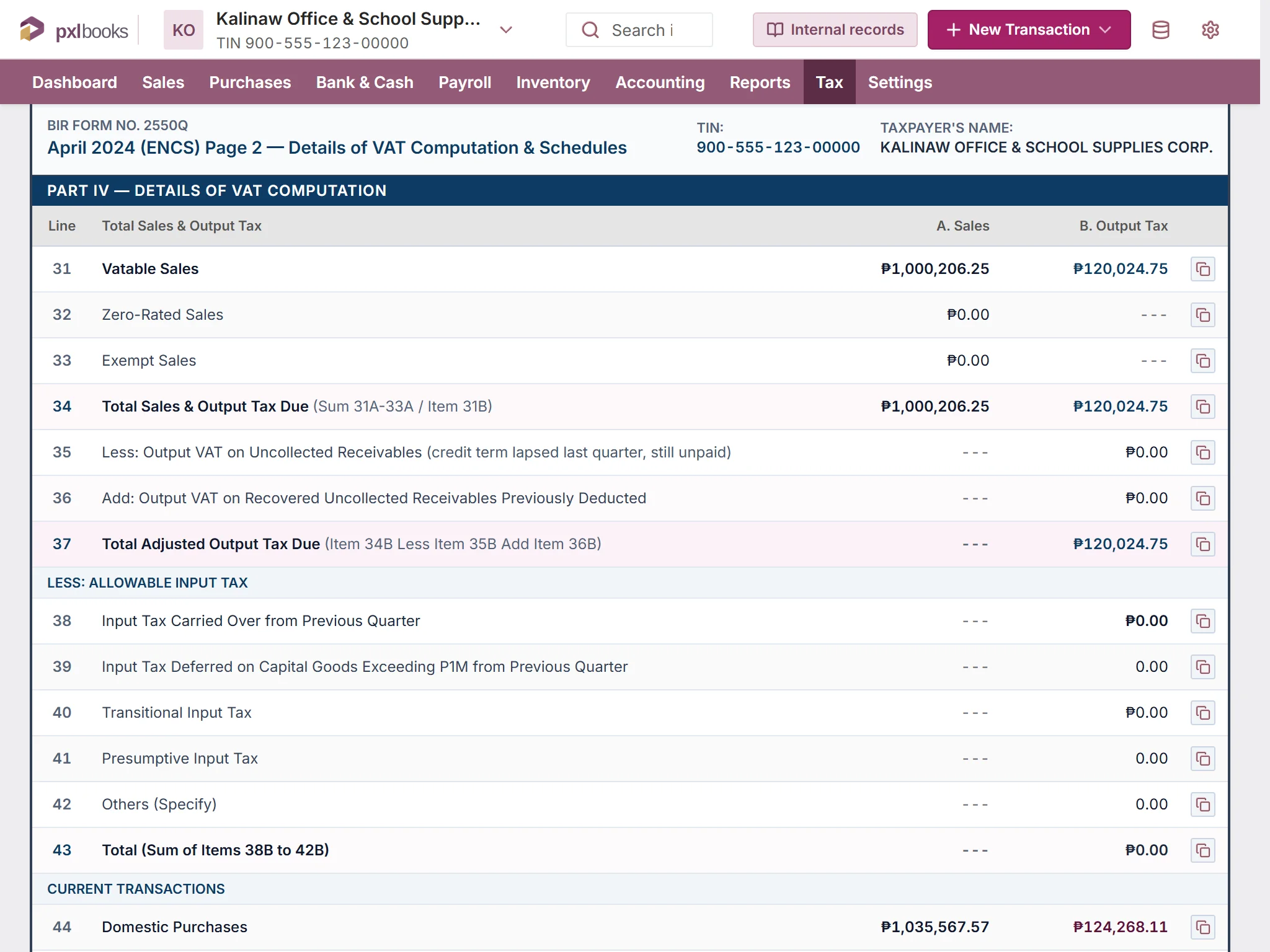
For the app steps, use the 2550Q walkthrough. The screenshot shows demo data; the examples above are separate teaching examples.
Checks that prevent common errors
- Separate net sales from VAT instead of adding tax twice.
- Review input tax on exempt-use purchases and incomplete invoices.
- Reconcile the return to the supporting sales, purchases, adjustments, and ledger.
- Keep the return, validation results, payment proof, and working papers together.
Does a successful DAT export mean the return was filed?
No. File generation, validation, filing, and payment are separate steps. PXL Books does not submit the return or remit the tax.
Last checked against official sources and the app: November 19, 2026.